Main Page: Difference between revisions
Jump to navigation
Jump to search

| Line 253: | Line 253: | ||
|label=Remote Control | |label=Remote Control | ||
|descr=Click once to power it on. Click again to power it off. | |descr=Click once to power it on. Click again to power it off. | ||
|img=tlogo- | |img=tlogo-usecases.png | ||
|link=PymateIO-remote-control | |link=PymateIO-remote-control | ||
}} | }} | ||
| Line 260: | Line 260: | ||
|label=Time Relay | |label=Time Relay | ||
|descr=Click to power/light-up for a while. | |descr=Click to power/light-up for a while. | ||
|img=tlogo- | |img=tlogo-usecases.png | ||
|link=PymateIO-time-relay | |link=PymateIO-time-relay | ||
}} | }} | ||
| Line 267: | Line 267: | ||
|label=Hysteresis | |label=Hysteresis | ||
|descr=Hysteresis management in running process | |descr=Hysteresis management in running process | ||
|img=tlogo- | |img=tlogo-usecases.png | ||
|link=PymateIO-hysteresis | |link=PymateIO-hysteresis | ||
}} | }} | ||
| Line 274: | Line 274: | ||
|label=Value Mapping | |label=Value Mapping | ||
|descr=Great Trick to save time and coding | |descr=Great Trick to save time and coding | ||
|img=tlogo- | |img=tlogo-usecases.png | ||
|link=PymateIO-mapping | |link=PymateIO-mapping | ||
|traduction=1 | |traduction=1 | ||
| Line 282: | Line 282: | ||
|label=PID Regulation | |label=PID Regulation | ||
|descr=Running a PID controller on Pymate | |descr=Running a PID controller on Pymate | ||
|img=tlogo- | |img=tlogo-usecases.png | ||
|link=PymateIO-PID-controler | |link=PymateIO-PID-controler | ||
|traduction=1 | |traduction=1 | ||
| Line 290: | Line 290: | ||
|label=LED Tuning | |label=LED Tuning | ||
|descr=LED can do so much more than being on or off.<br />HeartBeat, Pulsing, ErrorCode and more can be so useful. | |descr=LED can do so much more than being on or off.<br />HeartBeat, Pulsing, ErrorCode and more can be so useful. | ||
|img=tlogo- | |img=tlogo-usecases.png | ||
|link=PymateIO-LED-Tuning | |link=PymateIO-LED-Tuning | ||
|traduction=1 | |traduction=1 | ||
| Line 298: | Line 298: | ||
|label=Interrupt Request | |label=Interrupt Request | ||
|descr=Being quickly warned of an event! | |descr=Being quickly warned of an event! | ||
|img=tlogo- | |img=tlogo-usecases.png | ||
|link=PymateIO-IRQ | |link=PymateIO-IRQ | ||
|traduction=1 | |traduction=1 | ||
| Line 306: | Line 306: | ||
|label=Watchdog | |label=Watchdog | ||
|descr=Re-inforce Cycle Time with WatchDog | |descr=Re-inforce Cycle Time with WatchDog | ||
|img=tlogo- | |img=tlogo-usecases.png | ||
|link=PymateIO-watchdog | |link=PymateIO-watchdog | ||
|traduction=1 | |traduction=1 | ||
| Line 314: | Line 314: | ||
|label=Data Logging | |label=Data Logging | ||
|descr=Permanent storage of history, sensor data, etc | |descr=Permanent storage of history, sensor data, etc | ||
|img=tlogo- | |img=tlogo-usecases.png | ||
|link=PymateIO-data-logging | |link=PymateIO-data-logging | ||
|traduction=1 | |traduction=1 | ||
Revision as of 03:17, 29 June 2026
About PymateIO

|
PymateIO is an affordable Industrial Controler (PLC) Powered with MicroPython. |
PymateIO EcoSystem
PymateIO is expandable by design starting with few board, new arrivals should come with time.
Key products

|
PymateIO Core Core8ADI8DOSC
|

|
PymateIO 16ADI16DO expansion
|

|
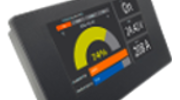
CommandHMI [COMING SOON]
|
Product Nomenclature
| Letter | Feature |
|---|---|
| DI | Digital Input. It is prefixed with the number of input (ex : 8DI or 8ADI).
May be in combination with A. |
| A | Analog Input. It is prefixed with the number of analog input (ex : 8A or 8ADI).
May be in combination with DI. |
| DO | Digital Output. It is prefixed with the number of analog output. |
| S | Serial (RS485, MODBUS RTU) |
| C | CAN bus |
| P | SPI bus |
| I | I2C bus |
| U | UART |
| T | Modbus TCP |
Products tour
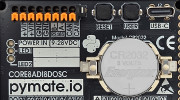
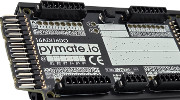
Programming HowTo

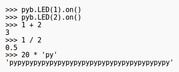

Programming First-step






Common use-cases

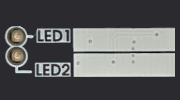
TRAVAUX EN COURS. LED can do so much more than being on or off.
HeartBeat, Pulsing, ErrorCode and more can be so useful.
Mini projects
 | Page(s) under construction. |
- Tank refill
Pymate Expansion programming


TRAVAUX EN COURS. How to control your 16ADI/16DO expansion. Input/Output/Analog/etc.
Advanced programming
| Page(s) under construction. |
- About asyncio
- Creating tasks
- Scheduling tasks
PymateIO Expansion Bus
| Page(s) under construction. |
- The connector
- Accessing I2C bus
- Accessing SPI bus
- About CAN bus
References
| Page(s) under construction. |
- PymateIO library
- Helper libraries