Main Page: Difference between revisions
| (12 intermediate revisions by the same user not shown) | |||
| Line 239: | Line 239: | ||
{{ttuto | {{ttuto | ||
|label=Modbus | |label=Modbus | ||
|descr=Using Modbus RTU over RS485. Use PymateIO as Modbus Master | |descr=Using Modbus RTU over RS485. Use PymateIO as Modbus Master. Example with Wind Dir., Power Meter, Temp/Humidity/Lux meter. | ||
|img=tlogo-modbus.png | |img=tlogo-modbus.png | ||
|link=Pymate-Modbus-basic | |link=Pymate-Modbus-basic | ||
| Line 262: | Line 262: | ||
|img=tlogo-usecases.png | |img=tlogo-usecases.png | ||
|link=PymateIO-time-relay | |link=PymateIO-time-relay | ||
}} | |||
{{ttuto | |||
|label=Delaying in code | |||
|descr=Learn how to implement a '''no blocking delay''' within your loop. Using DS18B20 with '''OneWire''' protocol to demonstrate the behavior. | |||
|img=tlogo-usecases.png | |||
|link=PymateIO-Delaying | |||
}} | }} | ||
| Line 281: | Line 288: | ||
{{ttuto | {{ttuto | ||
|label=PID Regulation | |label=PID Regulation | ||
|descr=Running | |descr=Running the software PID controller included within Pymate | ||
|img=tlogo-usecases.png | |img=tlogo-usecases.png | ||
|link=PymateIO-PID-controler | |link=PymateIO-PID-controler | ||
| Line 370: | Line 377: | ||
|img=tlogo-board-id.png | |img=tlogo-board-id.png | ||
|link=Pymate-16ADI16DO-Tour#Configuration_procedure | |link=Pymate-16ADI16DO-Tour#Configuration_procedure | ||
}} | |||
{{ttuto-end}} | |||
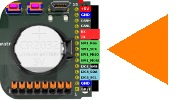
== PymateIO Expansion Bus == | |||
{{ttuto-begin}} | |||
{{ttuto | |||
|label=Connector | |||
|descr=Pymate.IO Expansion connector in details | |||
|img=tlogo-pymate-expansion-connector.png | |||
|link=PymateIO-Expansion-Connector | |||
}} | |||
{{ttuto | |||
|label=I2C Bus | |||
|descr=Accessing I2C bus | |||
|img=tlogo-pymate-i2c.png | |||
|link=PymateIO-I2C-Bus | |||
}} | |||
{{ttuto | |||
|label=SPI Bus | |||
|descr=Identification of expansion board | |||
|img=tlogo-pymate-spi.png | |||
|link=PymateIO-SPI-Bus | |||
|traduction=1 | |||
}} | |||
{{ttuto | |||
|label=CAN Bus | |||
|descr=Accessing CAN | |||
|img=tlogo-pymate-can.png | |||
|link=PymateIO-CAN-bus | |||
|traduction=11 | |||
}} | |||
{{ttuto | |||
|label=OneWire | |||
|descr=Using OneWire protocol on the Pymate Expansion (part of another turotial). | |||
|img=tlogo-one-wire.png | |||
|link=PymateIO-Delaying#Wiring_DS18B20 | |||
}} | }} | ||
| Line 379: | Line 429: | ||
* Creating tasks | * Creating tasks | ||
* Scheduling tasks | * Scheduling tasks | ||
== References == | == References == | ||
Latest revision as of 00:35, 7 July 2026
About PymateIO

|
PymateIO is an affordable Industrial Controler (PLC) Powered with MicroPython. |
PymateIO EcoSystem
PymateIO is expandable by design starting with few board, new arrivals should come with time.
Key products

|
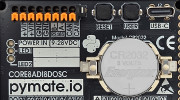
PymateIO Core Core8ADI8DOSC
|

|
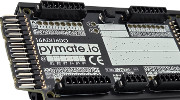
PymateIO 16ADI16DO expansion
|

|
CommandHMI [COMING SOON]
|
Product Nomenclature
| Letter | Feature |
|---|---|
| DI | Digital Input. It is prefixed with the number of input (ex : 8DI or 8ADI).
May be in combination with A. |
| A | Analog Input. It is prefixed with the number of analog input (ex : 8A or 8ADI).
May be in combination with DI. |
| DO | Digital Output. It is prefixed with the number of analog output. |
| S | Serial (RS485, MODBUS RTU) |
| C | CAN bus |
| P | SPI bus |
| I | I2C bus |
| U | UART |
| T | Modbus TCP |
Products tour
Programming HowTo



Programming First-step





Using Modbus RTU over RS485. Use PymateIO as Modbus Master. Example with Wind Dir., Power Meter, Temp/Humidity/Lux meter.
Common use-cases

Learn how to implement a no blocking delay within your loop. Using DS18B20 with OneWire protocol to demonstrate the behavior.
Hysteresis management in running process. Discover the HeaterHis and CoolerHis controller class.

TRAVAUX EN COURS. Running the software PID controller included within Pymate
TRAVAUX EN COURS. LED can do so much more than being on or off.
HeartBeat, Pulsing, ErrorCode and more can be so useful.
Mini projects
 | Page(s) under construction. |
- Tank refill
Pymate Expansion programming


TRAVAUX EN COURS. How to control your 16ADI/16DO expansion. Input/Output/Analog/etc.
PymateIO Expansion Bus

Advanced programming
| Page(s) under construction. |
- About asyncio
- Creating tasks
- Scheduling tasks
References
| Page(s) under construction. |
- PymateIO library
- Helper libraries