|
|
| Line 329: |
Line 329: |
| |img=tlogo-hmi-display.png | | |img=tlogo-hmi-display.png |
| |link=PymateIO-HMI | | |link=PymateIO-HMI |
| |traduction=1 | | |traduction=0 |
| }} | | }} |
|
| |
|
Revision as of 18:16, 14 June 2026
About PymateIO
|
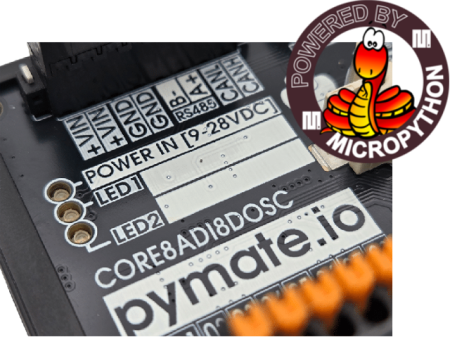
PymateIO is an affordable Industrial Controler (PLC) Powered with MicroPython.
PymateIO is ready for Industry, Reliable, Developer-Friendly and Easy to Install.
Micro Python is an optimized version of Python 3 dedicated to embedded systems like microcontollers.
Python scripts are stored on the device and running on z bare metal Python Virtual Machine (like computer does).
|
PymateIO EcoSystem
PymateIO is expandable by design starting with few board, new arrivals should come with time.
Key products
|
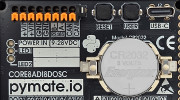
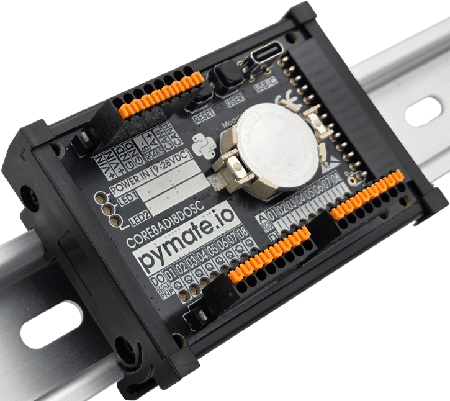
PymateIO Core Core8ADI8DOSC
- DIN rail mounting
- Spring cage connector
- 8-28V power supply
- 8 digital inputs 12/24V tolerant
- up 8 configurable analog inputs (10V max)
- 8 digital outputs (PNP, 250mA, High Side control)
- 1 user button, 2 user LEDs
- Native Modbus via RS485
- Dedicated status LEDs for each Inputs/Outputs
- Expandable by design with LTE-M, WiFi, Ethernet, relays, analog I/Os, PT100, Zigbee, and more,..
- Native USB support
- MicroPython support with libraries
- Developper friendly
- Core8ADI8DOSC product tour
TODO:Link to shop
|
|
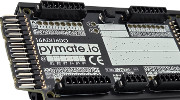
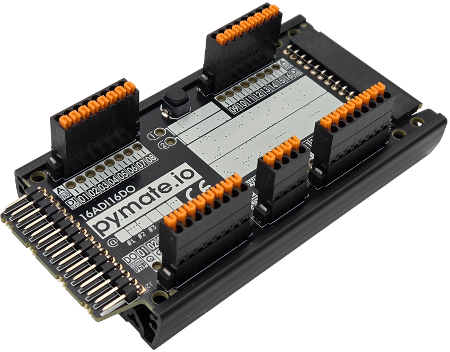
PymateIO 16ADI16DO expansion
- DIN rail mounting
- Plug-and-play (ready to use)
- Daisy chain by design (up to 120 boards)
- Spring cage connector
- 8-28V power supply
- 16 digital inputs 12/24V tolerant
- up 16 configurable analog inputs (10V max)
- 16 digital outputs (PNP, 250mA, High Side control)
- 1 user button, 2 user LEDs
- 16ADI16DO expansion tour
TODO:Link to shop
|
|
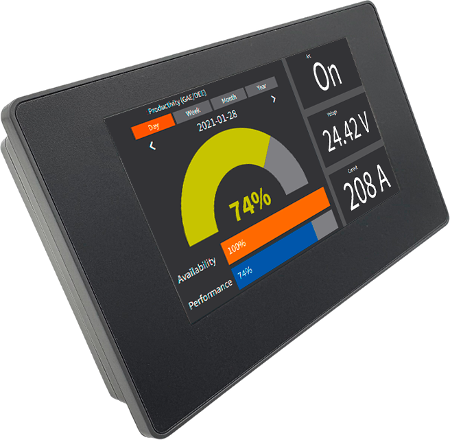
CommandHMI [COMING SOON]
- 8-28V power supply
- 16:9 TFT 4.3" (96x53mm)
- 480 x 272px
- Serial: RS232 + RS485
- Protocols: Modbus, ASCII, ...
- USB-A: Master modbus, data export (to USB key)
- USB-C: programming port
- Variant: 7.0", 10.2", 15.6", 4.3" Ethernet
- Read more
TODO:Link to shop
|
Product Nomenclature
| Letter
|
Feature
|
| DI
|
Digital Input. It is prefixed with the number of input (ex : 8DI or 8ADI).
May be in combination with A.
|
| A
|
Analog Input. It is prefixed with the number of analog input (ex : 8A or 8ADI).
May be in combination with DI.
|
| DO
|
Digital Output. It is prefixed with the number of analog output.
|
| S
|
Serial (RS485, MODBUS RTU)
|
| C
|
CAN bus
|
| P
|
SPI bus
|
| I
|
I2C bus
|
| U
|
UART
|
| T
|
Modbus TCP
|
Products tour
16ADI16DO board
Tour of the PymateIO 16 Analog-DataIn and 16 DataOut board.
Programming HowTo
Thonny IDE
Prepare your MicroPython IDE environment.
REPL
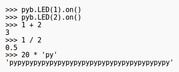
The MicroPython command line
Programming First-step
PymateIO
Access Input and outputs with PymateIO
Analog
Wiring and using Analog Input
16ADI16DO Tour
Tour of the PymateIO 16 Analog-DataIn and 16 DataOut board.
16ADI16DO Usage
TRAVAUX EN COURS. Using the 16ADI16DO expansion with PymateIO
RS485 Basics
Accessing directly the RS485 bus to read/write sensors
Modbus
Using Modbus RTU over RS485. Use PymateIO as Modbus Master
Common use-cases
Remote Control
TRAVAUX EN COURS. Click once to power it on. Click again to power it off.
Time Relay
TRAVAUX EN COURS. Click to power/light-up for a while.
Hysteresis
TRAVAUX EN COURS. Hysteresis management in running process
Value Mapping
TRAVAUX EN COURS. Great Trick to save time and coding
LED Tuning
TRAVAUX EN COURS. LED can do so much more than being on or off.
HeartBeat, Pulsing, ErrorCode and more can be so useful.
Watchdog
TRAVAUX EN COURS. Re-inforce Cycle Time with WatchDog
Data Logging
TRAVAUX EN COURS. Permanent storage of history, sensor data, etc
Mini projects
 | Page(s) under construction.
| |
Pymate Expansion programming
Board_ID
TRAVAUX EN COURS. Identification of expansion board
CAN Scan
Scanning the CAN bus for boards and check for CAN error.
Programming
TRAVAUX EN COURS. How to control your 16ADI/16DO expansion. Input/Output/Analog/etc.
Change Board_ID
How to change the 16ADI16DO board identification on the CAN bus.
Advanced programming
| Page(s) under construction.
| |
- About asyncio
- Creating tasks
- Scheduling tasks
PymateIO Expansion Bus
| Page(s) under construction.
| |
- The connector
- Accessing I2C bus
- Accessing SPI bus
- About CAN bus
References
| Page(s) under construction.
| |
- PymateIO library
- Helper libraries