Main Page: Difference between revisions
Jump to navigation
Jump to search
| Line 1: | Line 1: | ||
== About Pymate.io == | == About Pymate.io == | ||
Pymate.IO is an affordable Industrial Controler (PLC) Powered with MicroPython | {| border="0" | ||
|- | |||
| align="left" width="360px" | [[File:pymate-powered-by-micropython.png|320px]] | |||
| align="Left" width="350px" valign="top" style="padding:10px" | | |||
<p style="text-align: center; padding: 15px 0px; border-radius: 10px 10px 10px 10px; border: 1px solid #cccccc;"> '''Pymate.IO''' is an affordable Industrial Controler (PLC) Powered with MicroPython.<br />Pymate.IO is ready for Industry, Developer-Friendly, Easy to Install.<br /><br /> | |||
'''Micro Python''' is an optimized version of Python 3 dedicated to embedded system like microcontollers. Python scripts stored on the device and running on bare metal thanks to a Python Virtual Machine (like computer does).</p> | |||
|} | |||
== Pymate boards == | == Pymate boards == | ||
Revision as of 17:28, 25 April 2026
About Pymate.io

|
Pymate.IO is an affordable Industrial Controler (PLC) Powered with MicroPython. |
Pymate boards

|
blabla |

|
blabla |
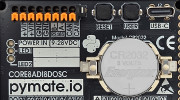
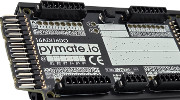
1.2 Product Nomenclature
Programming HowTo
 | Page(s) under construction. |
- About MicroPython
- IDE and tools
- Connecting your board
- REPL: the command line
- main.py and boot.py
Programming First-step
| Page(s) under construction. |
- PymateIO methods
- Digitial Input/Output
- Analog Input
- User button
- User LEDs
- Real-Time clock
- Cycle timing
- PymateIO and 16ADI16DO
Common use-cases
| Page(s) under construction. |
- Remote Control (Télérupteur)
- Time relay (relais temporisé)
- Hystersis management
- Value mapping
- PID control
- Fine LED control
- Emergency Stop (using IRQ)
- Watchdog
- Data-Logging
Mini projects
| Page(s) under construction. |
- Tank refill
Expansion programming
| Page(s) under construction. |
- About board_id
- CAN bus scanning
- 16ADI16DO Programming
- Setting board_id
- Digital Input/Output
- Analog Input
Advanced programming
| Page(s) under construction. |
- About asyncio
- Creating tasks
- Scheduling tasks
Pymate Expansion Bus
| Page(s) under construction. |
- The connector
- Accessing I2C bus
- Accessing SPI bus
- About CAN bus
References
| Page(s) under construction. |
- Pymate library
- Helper libraries